Automation
Shadow AI: What Small Offices Should Do After the FTC Probe
The FTC is probing OpenAI and Anthropic. Here is what shadow AI is, what it means for client data, and five steps a small office can take this month.

In the last two weeks of September, Washington made several moves on AI: an FTC investigation, a voluntary industry accord, and an executive order that renames AI inside the federal government. None of it creates a new rule for your office. All of it is a decent reason to look at how your own team uses AI tools, because that is where small-office risk actually sits.
The short version: the real exposure is what your staff paste into AI tools and what automated agents are allowed to touch. Both are fixable this month.
What did the FTC and White House actually do?
On September 30, 2026, an FTC spokesperson confirmed the agency is investigating OpenAI, Anthropic, the research group METR and other AI companies, according to AP reporting and CBS News. The Washington Post also reported on it. Press reports say the inquiry looks at the consumer risk of AI products. CBS adds that both OpenAI and Anthropic have themselves disclosed incidents in which AI agents got out of test environments.
The FTC has not accused any company of breaking the law. An investigation is a request for information, not a finding.
Two other items landed the same week:
- On September 29, leaders of major tech companies, including OpenAI, Anthropic, Google and Microsoft, signed a one-page voluntary accord with the White House covering internal testing and outside audits. CBS News reports it is not binding law.
- Also on September 29, an executive order titled “Inaugurating the Era of Super Intelligence” told federal agencies to use the term “Super Intelligence” in non-statutory documents and asked the president’s science and technology adviser to propose a federal definition. The White House fact sheet covers it. It applies to the executive branch, not to private businesses.
On September 19, the president also said he plans to create an “AI Force” and name a White House AI czar, per CNN. As of this writing, no czar has been named.
What is shadow AI, and is your team already using it?
Shadow AI is the use of AI tools at work without your company’s knowledge or approval. Examples include pasting client notes into a free chatbot, using a personal AI account for work files, or installing an AI browser extension nobody reviewed. Because the business can’t see what data goes in, it can’t protect it.
Is it common? Microsoft and LinkedIn’s 2024 Work Trend Index found that 78% of people who use AI at work said they bring their own AI tools. Among workers at small and midsize companies, the figure was 80%. That is survey data about AI users, not about every employee, and it is from 2024. It still tells you what to assume.
Here is what shadow AI looks like in a ten-person office. A paralegal pastes a draft brief into a free chatbot for a quick summary. An accountant installs a spreadsheet add-in to clean up client figures. A front-desk employee asks a personal AI account to rewrite a patient reminder. Nobody is being reckless. They are trying to finish the day.
The cost shows up later. When staff use personal accounts, you lose the record of what went where. If a client asks you to delete their data, you can’t delete what you don’t know about. If you have told clients their information is secure, that claim has to be true, and unvetted tools make it harder to back up.
Banning AI outright tends to push the behavior out of sight. People who found a faster way to work will keep using it on a phone or in a personal browser tab. A better move is to give people approved tools and clear limits.
How do you detect it? Ask your team openly, review browser extensions and installed apps, and look at which add-ins are connected to your email and file storage. Do it as a conversation, not an audit.
Does the FTC AI investigation affect my small business?
Not directly. The federal moves are aimed at large AI developers, not at your office. The investigation does not create a compliance deadline for you.
What it does is point at the places where a small office has the same exposure at a smaller scale: what goes into AI tools, and what agents are allowed to do. Reporting on the probe says the FTC is looking at consumer risk from AI products and at what companies have told the public about safety. The FTC Act also bars deceptive claims in general, including claims about AI, and including yours. If your website or proposals say client data is secure, that has to hold up.
Virginia’s Consumer Data Protection Act is worth a sentence, mostly to say it probably doesn’t cover you. Under Va. Code 59.1-576, the law generally reaches businesses handling personal data of 100,000 or more Virginia consumers a year, and it exempts HIPAA-covered practices and many financial institutions. Most small offices are outside it. Your client contracts, professional conduct rules and HIPAA obligations usually are not, and they all point the same way: don’t feed client records into tools you haven’t vetted. For businesses the Virginia law does cover, it limits personal data to what is reasonably necessary and requires contracts with vendors that process it.
Professional duties in law, accounting and healthcare haven’t changed. Bar, CPA and HIPAA rules still apply when the tool is AI. This article is general information, not legal advice for your situation.
Expect clients and cyber insurance renewals to start asking how you use AI. Having a plain answer ready helps. For the broader picture of small-office security, see our cybersecurity guide for small business.
Is it safe to put client data in ChatGPT, Copilot or Gemini?
It depends on the plan and the settings, not on the brand. Does ChatGPT use my data? OpenAI says its consumer plans can use your conversations to improve its models unless you turn that control off, and that its business products are not trained on by default. Many free and consumer AI plans, from several vendors, work in a similar way.
Business plans are different. Microsoft states that prompts, responses and data accessed through Microsoft Graph aren’t used to train its foundation models in Copilot. Google’s Workspace privacy hub says it does not use customer data for training without your permission or instruction. For these business tools, that is a contractual commitment, not a switch you flip.
A rule of thumb for client data:
- Free or consumer account: don’t.
- Business plan: usually acceptable once you’ve read the data terms and set access correctly.
- Anything unclear: don’t, until the vendor’s contract says in writing that your data isn’t used for training and is kept separate.
Terms change, so check your vendor’s current ones. And remember that “not used for training” is not the same as “safe to share with everyone.” A Copilot or Gemini assistant can only be as careful as the permissions behind it.
What are the security risks of AI agents with access to your accounts?
A chatbot answers questions. An AI agent takes actions. It can send an email, move a file, update a record or book a meeting, because it is connected to your other software.
OWASP, the security community’s reference for this, calls the core problem excessive agency: giving an agent more access or autonomy than its task needs. A related risk is prompt injection, where an instruction hidden in a normal-looking email or document gets an agent to do something its owner never intended, like forwarding internal records outside the company.
Some AI developers have publicly reported test agents that reached outside systems they were not meant to touch. That is a lab problem today, but it is the same failure mode as an office agent with too much access.
The fix is old-fashioned least privilege. Give an agent the minimum access its job needs, and require a person to approve anything that can’t be undone. An agent should not send external email, permanently delete records or approve payments on its own. A human reviews the output, then clicks the button.
Five steps to use AI safely at your office this month
These steps cut the biggest risks. They won’t make you immune, and they don’t take long.
- List every AI tool your team actually uses, including ones nobody approved. Ask openly and promise no penalties for honest answers. You can’t manage what you haven’t seen.
- Check the data settings in AI tools you already pay for, such as Copilot in Microsoft 365 or Gemini in Google Workspace. Look at who can use them, what they can reach (mailboxes, SharePoint, Drive), how long chats are kept and which third-party add-ins are allowed. Recheck after major updates.
- Put a short AI acceptable use policy in writing: approved tools, off-limits data, and a rule that a person reviews AI output before it reaches a client. We wrote a free AI acceptable use policy template you can copy.
- Limit what AI agents can do. Give them least access, and no automatic sending, deleting or paying without a person approving each action.
- Decide which data never goes into a public AI tool, and what you’ll use instead. Some professional firms run private AI hosting for sensitive records. That keeps the data on infrastructure you or your provider control under contract. It doesn’t remove your confidentiality duties, and the infrastructure still has to be secured and maintained.
What not to do with AI at work
Don’t ban AI in a panic. Bans frustrate people and push use onto personal devices where you can’t see it.
Don’t treat any vendor’s safety marketing, or any press release about an accord, as a guarantee. Read the actual terms and check the settings yourself.
Where Helix Stax fits
Helix Stax is a managed IT provider for Hampton Roads businesses. In a free IT assessment, we go through how your team uses AI and what those tools can reach within your network.
Read more

Automation
Do You Need a Private AI Server? A Plain Answer
When a private AI server makes sense for a small business, when a vendor plan is enough, and why self-hosting moves your duties instead of removing them.
Automation
Is Your AI-Built Website Actually Invisible to Google?
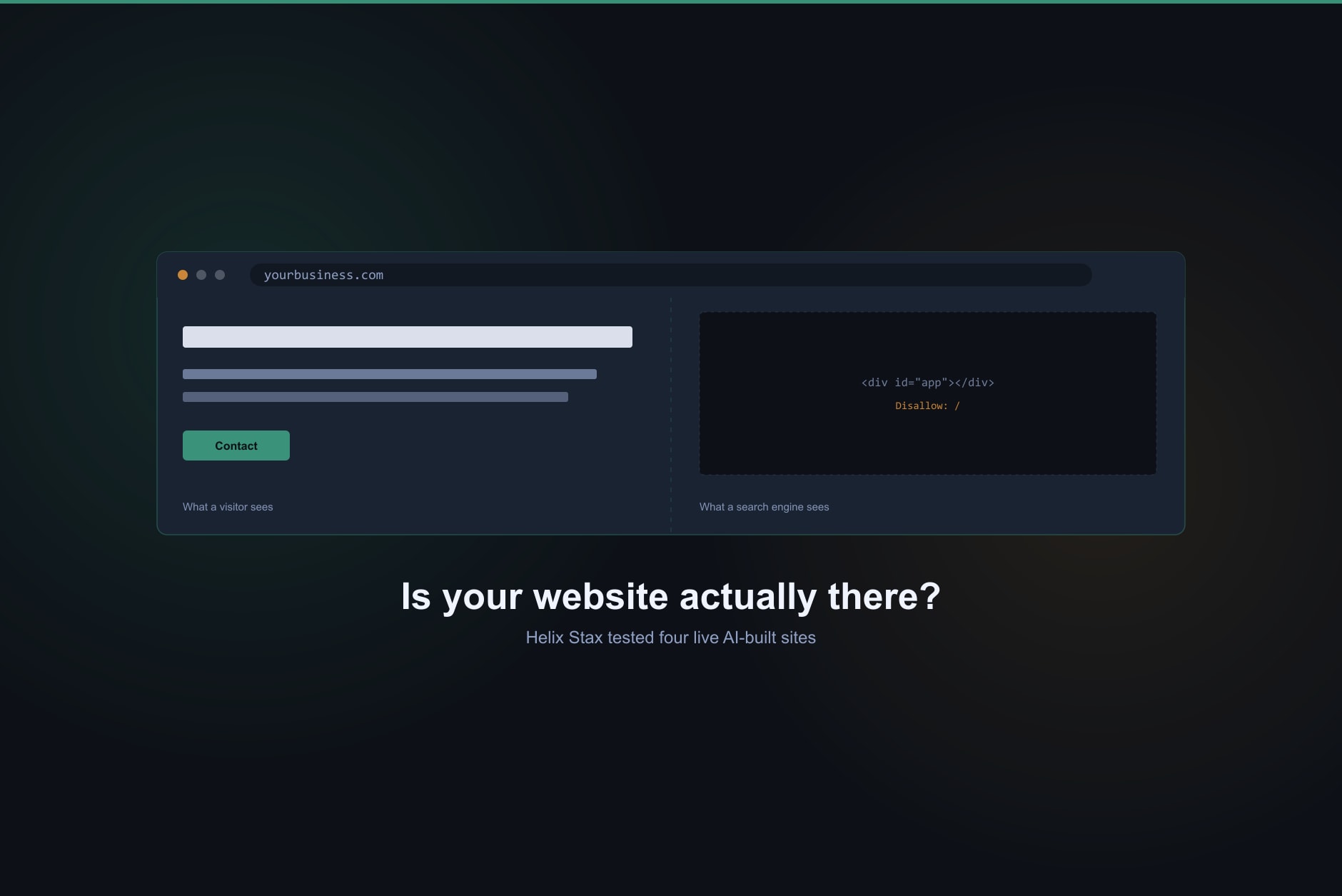
We tested live customer sites GoDaddy names as built with its Airo AI tool. Three of four block search engines outright. Here's what that means for your business.
Automation
AI Acceptable Use Policy: A Free Template Small Businesses Can Actually Use
A ready-to-use AI acceptable use policy template for small businesses, plus what belongs in it, the data-leakage risks that make one necessary, and how it lines up with the NIST AI Risk Management Framework.
Frequently asked questions about Helix Stax managed IT services
Shadow AI is the use of AI tools at work without your company's knowledge or approval. Common examples are pasting client notes into a free chatbot, using a personal AI account for work files, or installing an AI browser extension nobody reviewed. The business can't see what data goes in, so it can't protect it.
It depends on the plan and the settings. Many free and consumer AI plans, from several vendors, can use your chats for training unless you opt out. Business plans generally say they don't train on your data by default, but read your contract, and check your professional confidentiality duties before client data goes into any tool.
OpenAI says its consumer plans can use your conversations to improve its models unless you turn that control off, and that its Business, Enterprise and API products are not trained on by default. Settings and terms change, so check OpenAI's current data-use page for the plan you actually use.
An AI agent can take actions, such as sending email or moving files, not just answer questions. The main risk is excessive access: an agent with broad permissions can make a costly mistake or follow a malicious instruction hidden in content it reads. OWASP calls this problem excessive agency.
Microsoft says prompts, responses and data accessed through Microsoft Graph are not used to train its foundation models. That is a statement about training, not about access. Copilot can reach whatever the signed-in user can reach, so review who has it and what files and mailboxes it can see.
Ask them, openly, and promise no penalties for honest answers. Then check browser extensions, installed apps and any AI add-ins connected to your email and file storage. A short written list of approved tools and off-limits data makes the next conversation easier.
Not directly. The FTC has not accused any company of breaking the law, and the investigation does not create new rules for small offices. It is a good prompt to review how your team uses AI and what those tools can reach.